
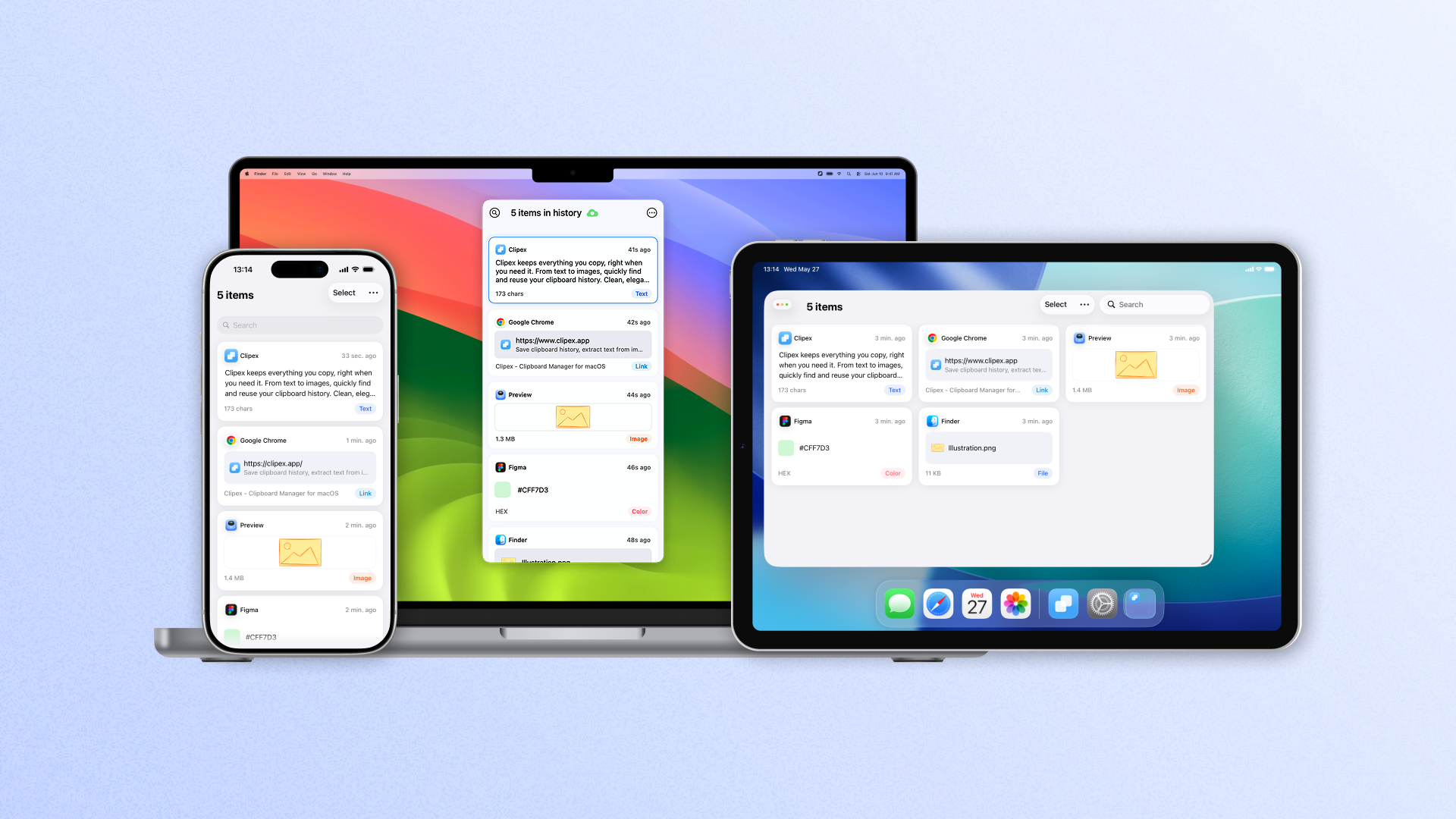
Clipex Is Now Available on iPhone and iPad:Access Clipboard History Across Mac, iPhone, and iPad
Jun 3, 2026
When we launched Clipex 1.0, our goal was simple: make everything you copy easy to find and reuse on Mac.
Today, we're excited to announce that Clipex is now available on iPhone and iPad, bringing your clipboard history across all your Apple devices.
Whether you're working on a Mac, saving information on your iPhone, or reviewing content on your iPad, everything you copy can now stay organized and within reach.
Why Clipboard History Matters
Most devices only remember the last thing you copied.
Copy something new, and the previous item is gone.
This can be frustrating when you're switching between apps, collecting research, saving links, or working with multiple pieces of content throughout the day.
Clipboard history solves this problem by automatically saving everything you copy, making it easy to find and reuse later.
One Clipboard History Across All Your Devices
With the new iPhone and iPad release, Clipex becomes more than a clipboard manager for Mac.
Now you can access your clipboard history across:
- Mac
- iPhone
- iPad
Using iCloud, your clipboard history stays synchronized across your devices, so important content is always available wherever you're working.
Copy on Mac. Access on iPhone.
Save on iPhone. Find it later on iPad.
Your clipboard follows your workflow.
Save More Than Just Text
Clipex automatically saves a wide range of content types, including:
- Text
- Images
- Links
- Files
Instead of worrying about losing something important, you can focus on your work knowing that your clipboard history is always available.
Find Anything Instantly
As your clipboard history grows, finding the right item becomes even more important.
Clipex makes it easy to search through previous copies and quickly locate the content you need.
No more digging through chats, documents, browser tabs, or notes trying to find something you copied earlier.
Extract Text from Images
Screenshots often contain useful information that is difficult to reuse.
Clipex can extract text from screenshots and images, allowing you to copy, edit, search, and share information more easily.
Whether it's a receipt, code snippet, address, or document screenshot, the information becomes instantly usable.
Privacy First
Clipboard data can be sensitive.
That's why Clipex is designed with privacy in mind.
- Data is stored locally on your devices.
- Sync is handled through your personal iCloud account.
- No clipboard content is uploaded to our servers.
- No tracking of copied content.
Your data remains yours.
Available Now
Clipex is now available on:
- Mac
- iPhone
- iPad
Everything you copy.
Organized and ready whenever you need it.
Download Clipex today and keep your clipboard history available across all your Apple devices.